
Cloud DMA
A Hyper-V environment for one Windows PC with guided installation and encrypted activation.
Cloud DMA on one Windows PC
Cloud DMA runs its virtual environment on your gaming PC. The installer sets up Hyper-V and activates the service over an encrypted connection.
Cloud DMA may require GREENWARD, Static Server and AWS as separate purchases. Check the full requirements and current price at checkout.
- Single-PC setup
- Guided Hyper-V installation
- Encrypted activation
- Lifetime access
In short
A Hyper-V environment on one PC
The guided installer sets up the virtual environment and activates the service over an encrypted connection.
Overview
Cloud DMA on one Windows PC
Check Windows, Hyper-V and the separate purchases before ordering.
Cloud DMA runs its virtual environment on your gaming PC. The installer sets up Hyper-V and activates the service over an encrypted connection.
Cloud DMA may require GREENWARD, Static Server and AWS as separate purchases. Check the full requirements and current price at checkout.
Hyper-V setup on one PC
The installer provisions a virtual environment on your gaming PC. Activation uses an encrypted service connection.
What you need before checkout
Cloud DMA is the infrastructure layer. GREENWARD, Static Server and AWS are three separate required purchases.
Included
Cloud DMA features
The lifetime license covers the Cloud DMA infrastructure layer.
- Single-PC setup
- Guided Hyper-V installation
- Encrypted activation
- Lifetime access
Setup
Product information
Check Windows, Hyper-V and the separate purchases before ordering.
Product information
- Layer A
Check Windows and firmware
Confirm that your Windows edition supports Hyper-V and turn on CPU virtualization in firmware.
- Layer B
Check the separate purchases
You also need GREENWARD, Static Server and AWS. Each is purchased separately.
- Layer C
Review checkout terms
Current options, access terms and pricing are shown at checkout.
More products
Pairs well with
Explore the other three products and their setup requirements.
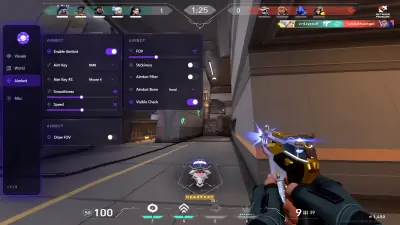
- Valorant Cheats Player ESP, world visuals and adjustable aim controls for Windows. View details: Valorant Cheats
- HWID Spoofer After a hardware flag, this license rewrites disk serials. It also rewrites MAC addresses, GPU IDs, and related fingerprints. Trace cleanup is in the same license. View details: HWID Spoofer
- Skin Changer A small client paints premium weapon skins on your screen. Outfits and knife variants are included, across the major titles it lists. View details: Skin Changer
FAQ
Questions about this page
Answers for this page. The FAQ page holds the rest.
Blog
Related guides
Filter by topic to find setup guides, feature deep-dives, and patch-day notes.
Vanguard wants TPM 2.0 and Secure Boot before Valorant will even launch. Get those right first, then follow the install order exactly.