
Valorant Cheat Setup: TPM, Secure Boot and the Order That Boots
Vanguard wants TPM 2.0 and Secure Boot before Valorant will even launch. Get those right first, then follow the install order exactly.
Valorant is one of the few games where the setup checklist starts in firmware before it starts in Windows. Vanguard requires TPM 2.0 and Secure Boot on Windows 11 and refuses to launch without them, throwing a VAN9001 or VAN9003 error. Our build requires the same pair, plus HVCI and Core Isolation, because Cloud DMA needs them.
So the good news is that fixing Valorant and fixing the build are the same job. Do it once.
Step 1: Windows version
Windows 10 21H2 or 22H2, or Windows 11 21H2 through 24H2. Anything older than 21H2 and you are fighting the loader before you start.
Update to a supported build first if you are behind.
Step 2: Firmware, in this order
Reboot into BIOS or UEFI.
Enable virtualization. Intel VT-x or AMD-V, usually under CPU configuration or advanced features.
Enable TPM. On Intel boards this is PTT or firmware TPM. On AMD it is fTPM. Both are under security or trusted computing. Discrete TPM modules work too.
Enable Secure Boot. This needs UEFI mode rather than legacy CSM, and it may need a platform key enrolled first. If the option is greyed out, CSM is on and has to go.
Save, reboot.
Step 3: Confirm in Windows
Task Manager, Performance, CPU. The virtualization line must read enabled.
Windows Security, Device Security, Core Isolation. Memory Integrity on.
Windows Security, Device Security, Security processor. TPM present and ready. Or run tpm.msc and check it says ready.
System Information, System Summary. Secure Boot state should read on.
If any of those fail, stop and fix it. Vanguard will fail the same checks.
Step 4: Memory and storage
8 GB is the floor, 16 GB is realistic. 500 MB free for cheat files plus room for the Hyper-V environment. Close the browser before provisioning.
Step 5: Overlays off
Discord overlay, GeForce overlay, the Vanguard-adjacent monitoring tools, anything with a capture hook. Off for the first launch, back one at a time later.
Step 6: Install order
Cloud DMA first, as administrator. Then the supporting pieces. Then Valorant if it is not installed.
Cloud DMA is its own purchase and not the whole stack. GREENWARD, Static Server and AWS are separate, all required, and Static Server and AWS are different products, both needed. None are bundled in the Cloud DMA checkout.
Let the installer provision. Let activation finish over the encrypted service link. Follow the installer notes for your Windows edition rather than clicking through.
Step 7: Launch order
Reboot cleanly first.
- Boot, let the machine settle
- Confirm the Cloud DMA layer is up
- Launch Valorant through the Riot Client
- Reach the lobby
- Start the loader, wait for the menu
Loader before the game process is the most common cause of an empty menu.
Step 8: First run checks
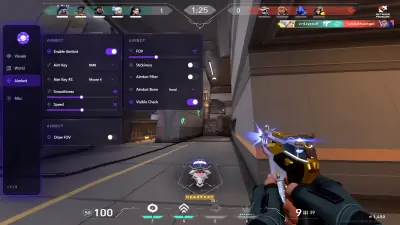
Menu key is INSERT. If it appears, verify:
- player boxes on a range dummy or in deathmatch
- a toggle responding
- a slider accepting a value
- combat mode hotkey hiding the utility layer
- panic key hiding the menu
All five working means you are live. Menu up with nothing drawing is a partial load, and the troubleshooting article covers that.
Mistakes worth naming
Leaving CSM on. Secure Boot cannot enable in legacy mode, and Vanguard will not launch.
Enrolling a platform key wrong and giving up. A greyed out Secure Boot option is almost always CSM, not a dead board.
Turning Memory Integrity off to fix a stutter. It comes back as a worse problem later.
Launching from the installer. Provisioning needs a clean reboot.
Installing with Valorant open. Close it.
When to stop
If TPM and Secure Boot are confirmed on, all four settings pass, overlays are off and the menu will not appear, open a ticket with your Windows build, the four settings states, the loader version and what the installer printed.
Setup is the annoying part and it is a one time cost.